

Queues
Give every team a prioritised list of the cases it has to handle next
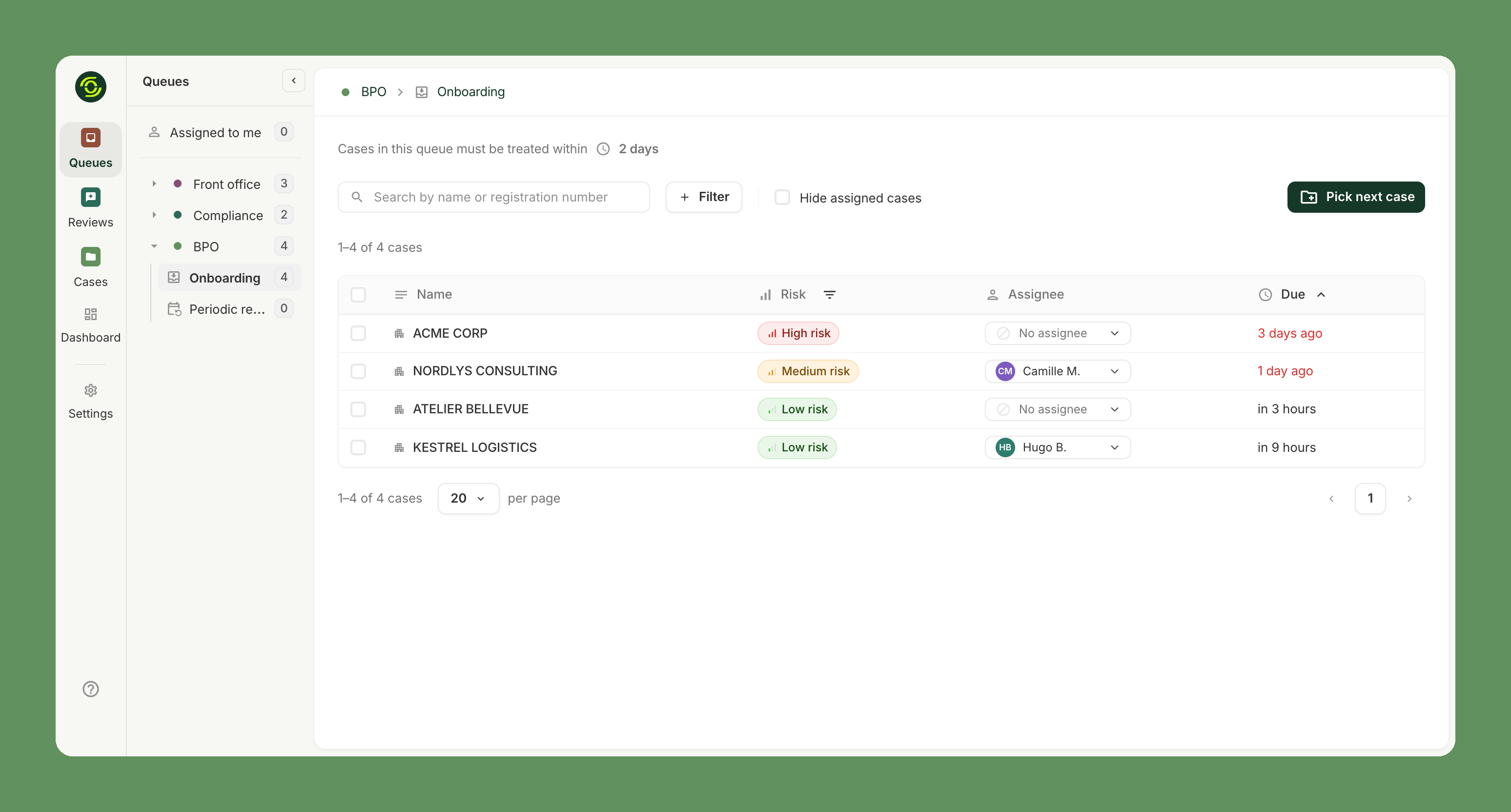
Queues give each team working on your cases its own prioritised to-do list: the cases it is responsible for, most urgent first, with its service level in plain sight. Agents always know what to work on next, and team leads see at a glance whether each team is on track.
Why it matters
- No more "what's next?". Agents open their queue and pick the next case in one click. No filtering, no spreadsheet, no Slack thread to find the work.
- Nothing falls through the cracks. Cases are sorted by due date, so the most urgent ones always come first.
- SLAs you can actually keep. Each queue shows its service level, and cases that exceed it are flagged before they turn into a complaint.
- Built for multi-team operations. Front office, back office or BPO, compliance: each team works in its own perimeter, and a case moves from one queue to the next as it progresses or gets escalated.
- Real-time steering for team leads. Live counters in the navigation show where cases pile up, so you can move people where the workload is.
How it works
Every case is waiting on someone: your team, your customer, or one of the teams you define (for example a BPO handling low-risk cases and a compliance team handling escalations). Each of them gets its own queue.
- Cases follow the work. When a case changes hands, manually or through automations, it leaves one queue and appears in the next.
- One click to claim. Pick next case assigns the oldest unassigned case in the queue to the agent.
- Service levels per team. Set a target per queue with SLAs; cases over the limit are highlighted.
- A personal worklist. Assigned to me gathers every case assigned to a user, whatever queue it sits in.
Who it's for
Queues shine when several teams share the work, typically an internal compliance team working with a BPO under an SLA. If your team is small and everyone handles every case, assignments and the case list are often all you need — queues can be added as your organisation grows.
Availability depends on your plan. Contact your Ondorse representative to enable it.
Updated about 6 hours ago