
User roles
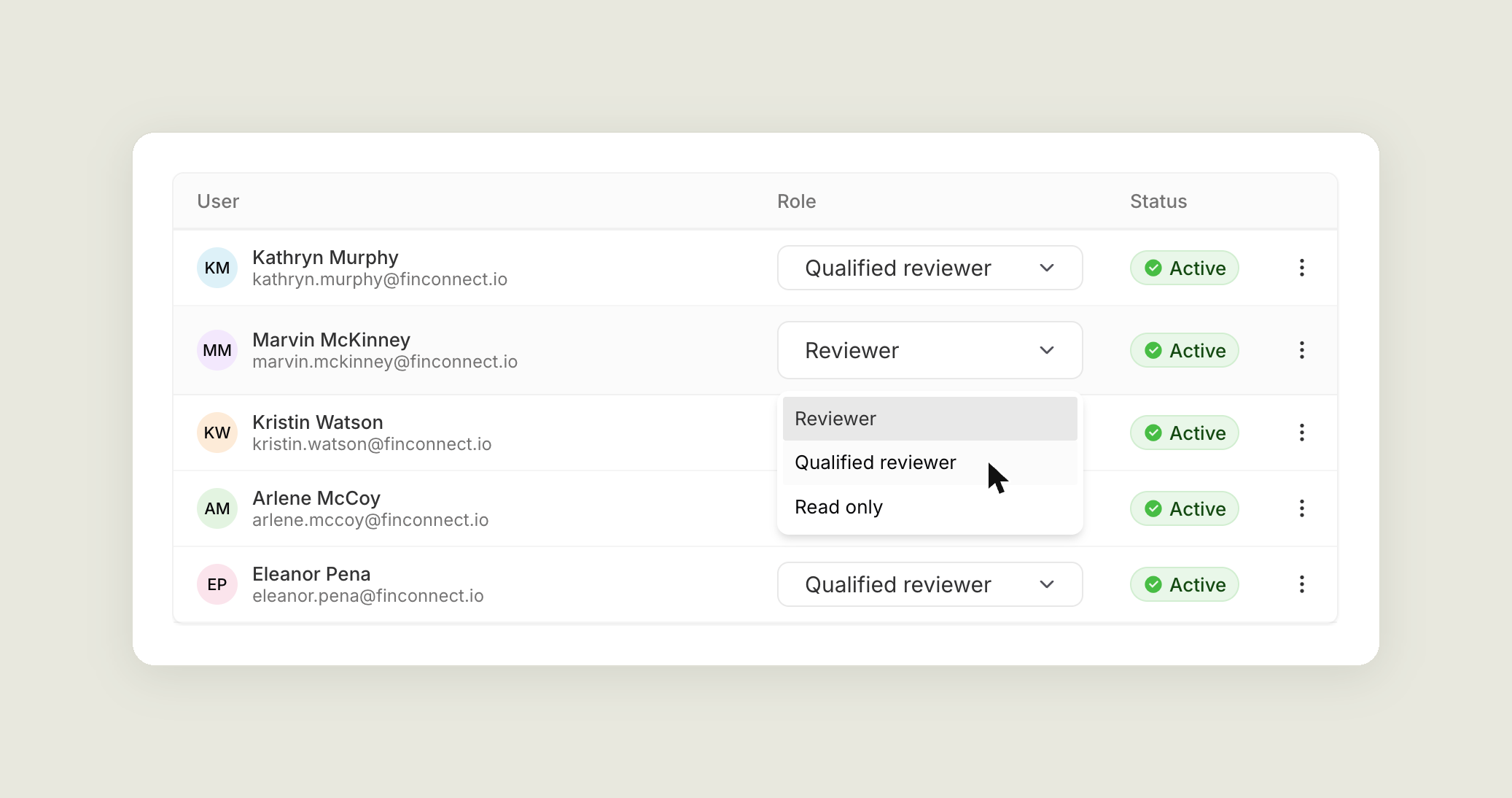
Ondorse has three default user roles:
- Reviewer: This is the default role assigned to users in Ondorse.
- Qualified reviewer: Users with this role have additional privileges, particularly in decision-making processes.
- Read only: for users who need visibility without control (e.g., auditors, internal stakeholders, partner teams, agents). Users can only access cases and portal requests with no editing rights.
Decision restrictions
Some decisions are reserved for Qualified reviewers: cases that are not yet Ready for decision, and cases your policy flags as sensitive, such as high-risk ones. See the qualified reviewer flow.
Custom roles
Every team needs different access. On top of the default roles, Ondorse can create custom roles that match your organisation.
- Least privilege by design. Each person gets the access their job requires, and nothing more.
- Segregation of duties. Operations, configuration and user management are separate permissions. Your IT team can manage users or integrations without seeing compliance data, and your analysts can work cases without touching the policy.
- Easier audits. Clear, documented access rights help you answer internal audit and regulators.
Typical examples: an IT user admin who manages users only, a technical configuration role for integrations and API keys, or a quality assurance role that reviews cases without changing the policy. Contact your Ondorse representative to set them up.
Updated 2 days ago
Did this page help you?