
Cases
DefinitionA case contains all the information collected on an entity or individual. The case include identification data, the associated persons or businesses and documents.
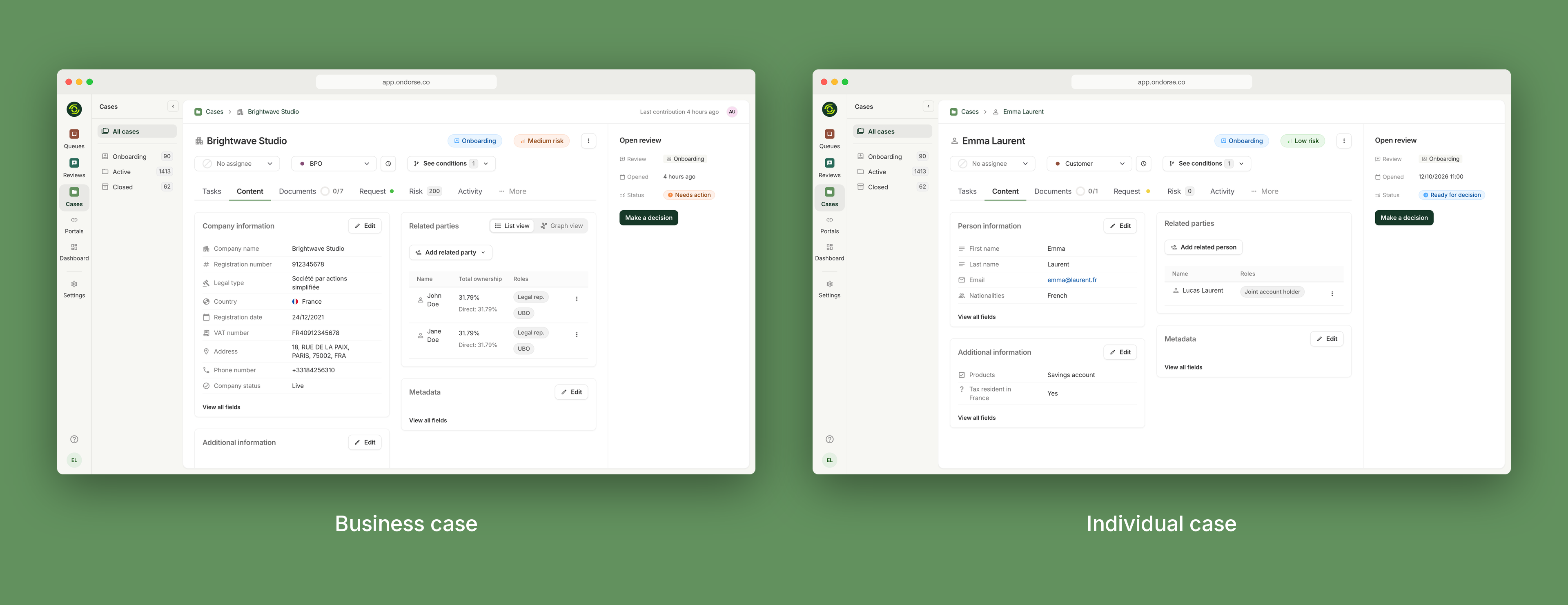
A case contains identifying information on a legal entity or an individual and its relationships. There are several ways to create an case:
- through the Ondorse API
- through Portal, Ondorse's white-label onboarding solution
- within the Ondorse web application, by clicking the Create case button
A case should encapsulate all the data you have on a potential customer:
- identifying information on a legal entity (note that this includes pre-established fields as well as custom fields)
- identifying information on the related entities, such as the persons controlling the underlying entity
- all kinds of documents that can either be attached to the underlying entity or its related entities
CustomizationCustom fields are an important way to make Ondorse unique to an organisation and they can be referenced in your risk matrix.
Once a case is created, your workflow (i.e. a set of tasks) will be run against the case data, and a risk score will be computed.
Once all the tasks have run, the case will be subject to a decision.
Navigating through cases
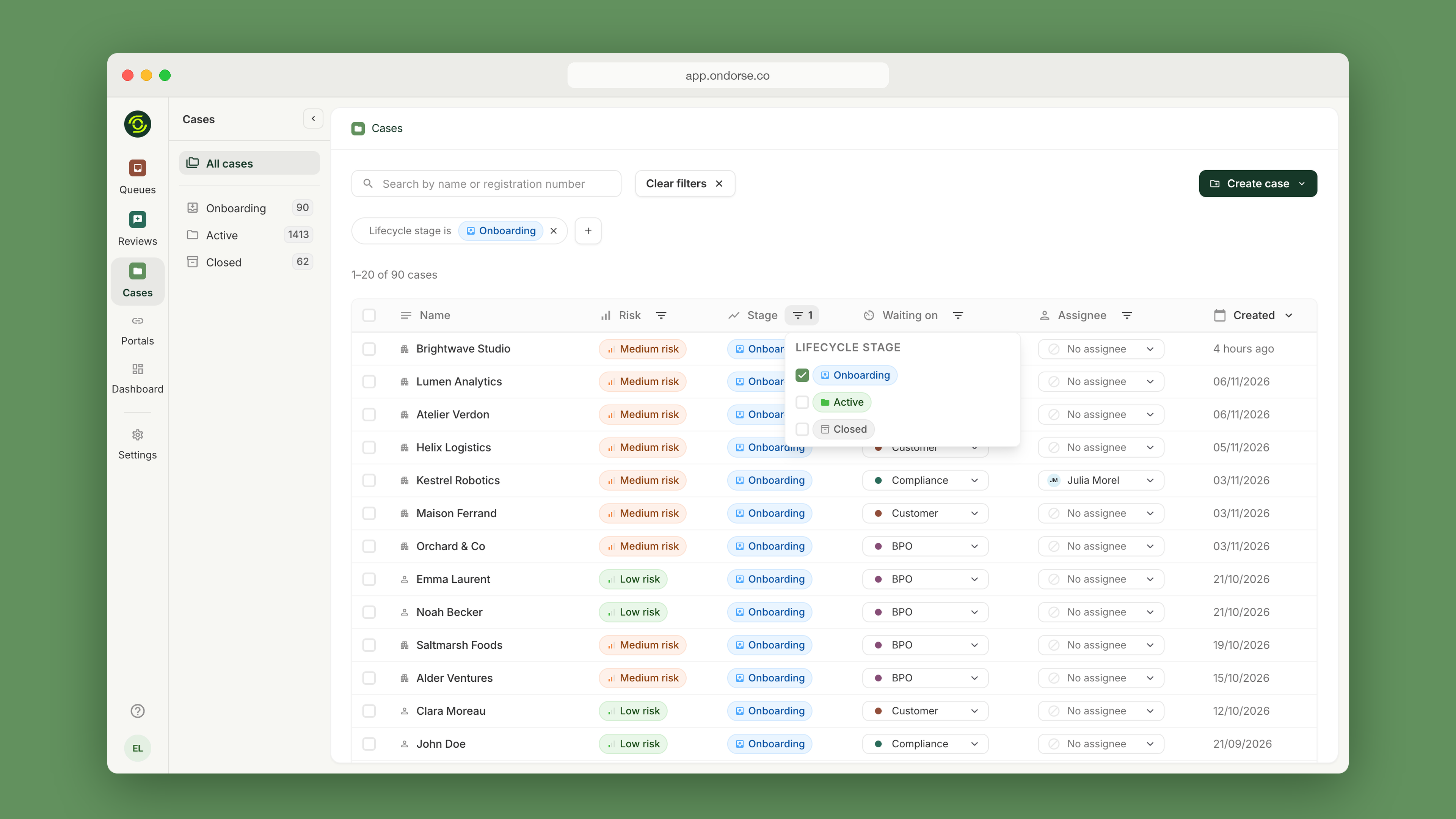
Cases are listed in the Cases table based on their most recent updates.
The table displays important information, such as:
- the company name
- country of incorporation
- status
- risk level
- and signatory name
To find a specific cases, you can use the search bar to enter either the company name or registration number.
Additionally, you can filter cases by their country of incorporation, risk level, or current status for easy access.
Closing a case
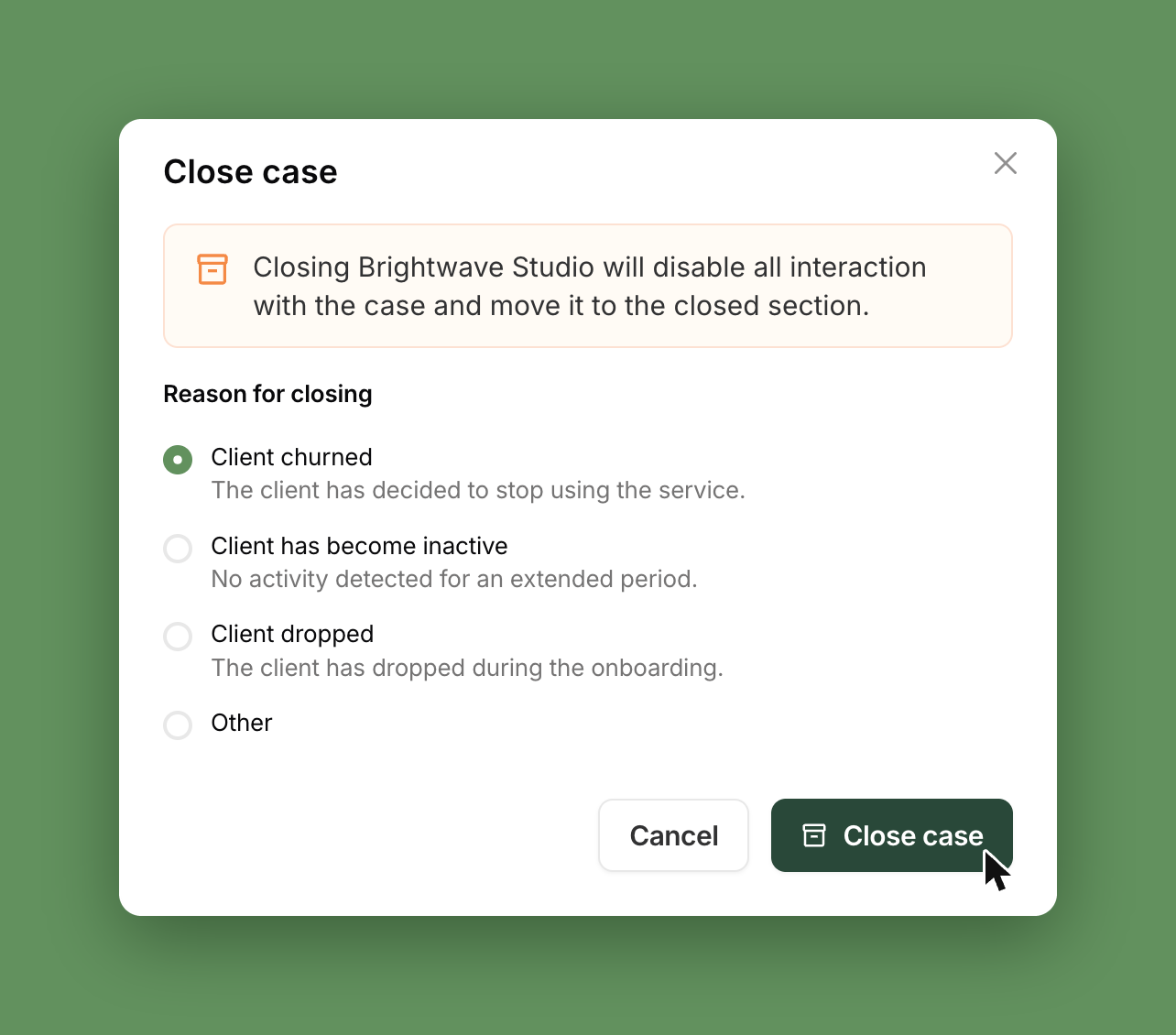
When a business relationship ends — or never starts — you can close the case. Each case carries a Status that reflects the real relationship: Onboarding, Active or Closed. A case rejected during onboarding is closed automatically.
- Pay only for the relationships you have. Closed cases no longer count as cases under management, and they are removed from screening monitoring.
- Keep your audit trail. Data, documents and history stay available, nothing is deleted.
- Know why customers leave. The reason for closing is recorded on the case — churned, inactive, dropped during onboarding — ready for your reporting.
Updated about 20 hours ago