

Remediation: scan and remediate
You can import cases (see Cases import and export) and:
- scan: assess compliance gaps using scans
- remediations: launch remediation actions
Scans
A scan automatically analyzes the entirety of a customer database to reveal risk factors and compliance gaps. It proactively notifies you when it finds hits.
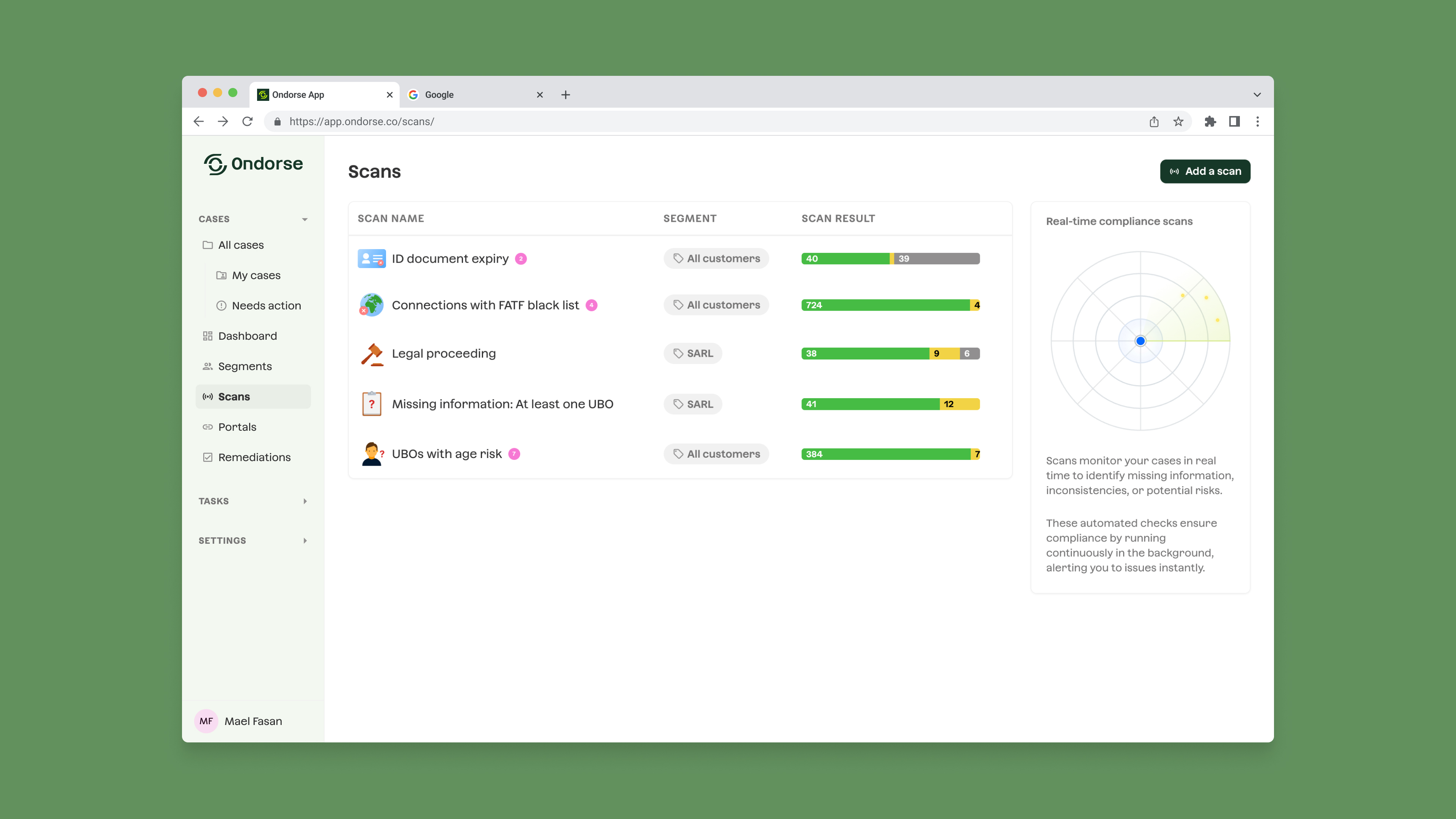
Scan library
Scans relies on a library of 30+ compliance checks that can reveal risks and compliance gaps such as:
- Legal proceedings: the entity is currently involved in ongoing legal action.
- Expired KYB: according to your refresh policy, the scan requires a KYC/KYB refresh. (See Periodic refresh)
- Missing UBO or directors identification: the case is missing an identification of UBOs or directors
- Missing document: reveal the cases where documents are missing
- Document expiration: the date of expiration of the cases documents are extracted via document analysis
- Connections with risky countries: connections with risky countries (FATF lists, EU lists..) are revealed. Connections that are analysed includes residency country pf directors and UBOs, registration country of connected entities, head office country, etc..
- Missing documents or compliance data points: reveal the cases that are potentially incomplete
- Connections with PEP: reveal the politically exposed persons on your customers database
- Risky legal type: such as associations
- Aging report: reveal the cases that are outdated and needs to be re-KYC
- Missing authority: reveal the cases where the signatory is not a legal representative
- etc.
New compliance check are constantly added to the library.
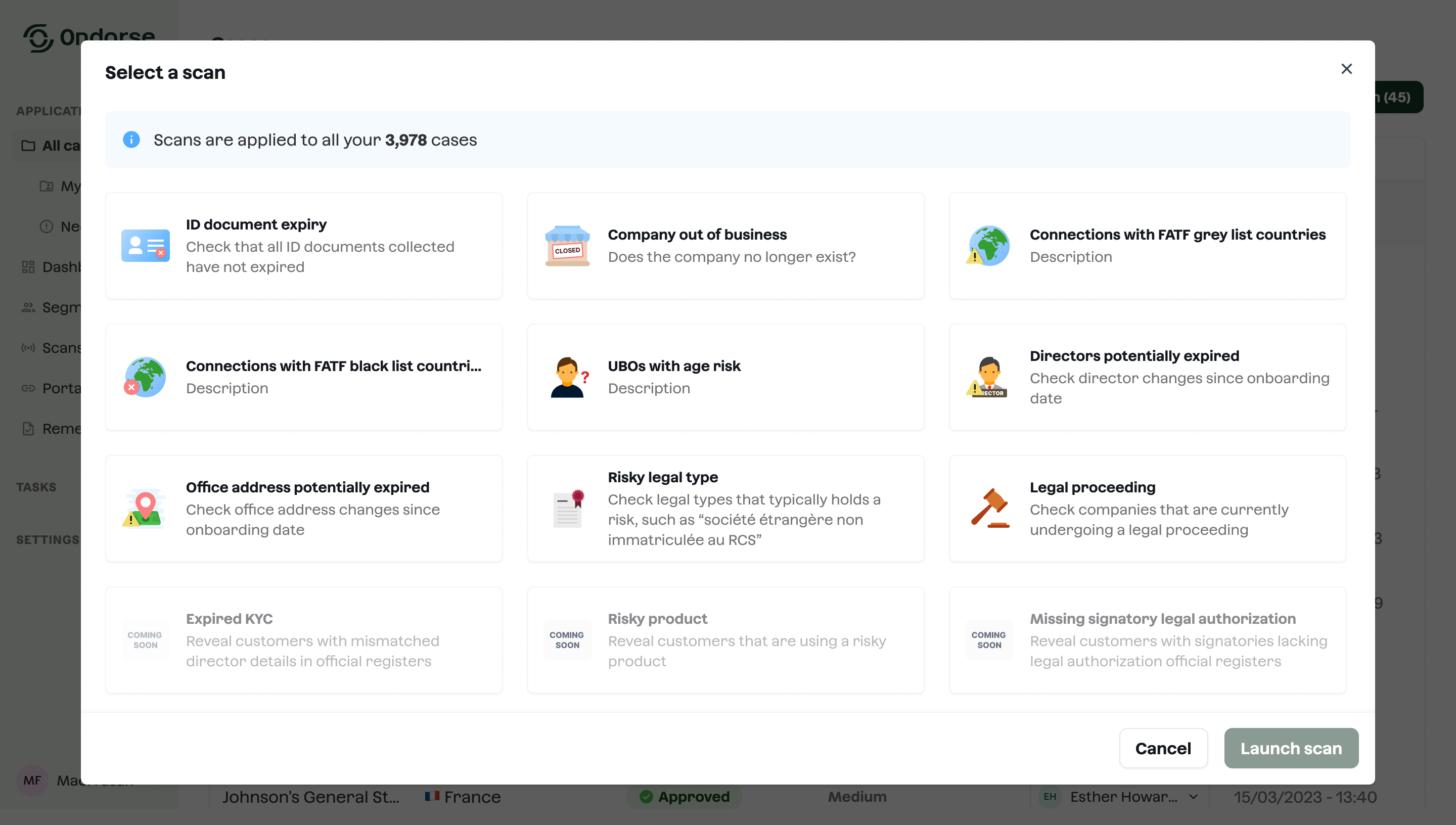
Scan libraryExplore our library here.
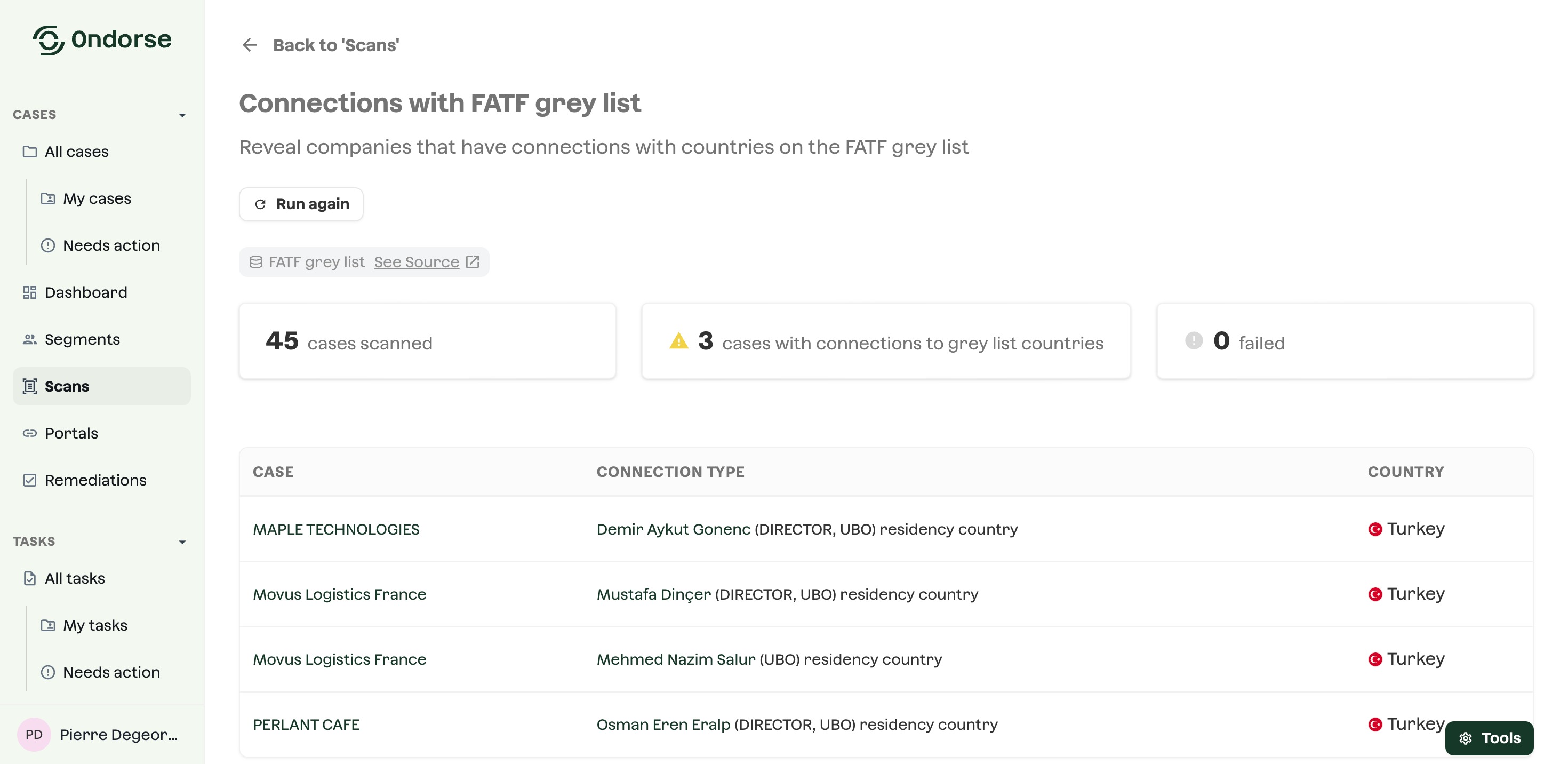
Scan report
Each scan produces a report and list the problematic cases. You can explore this report.
Remediations
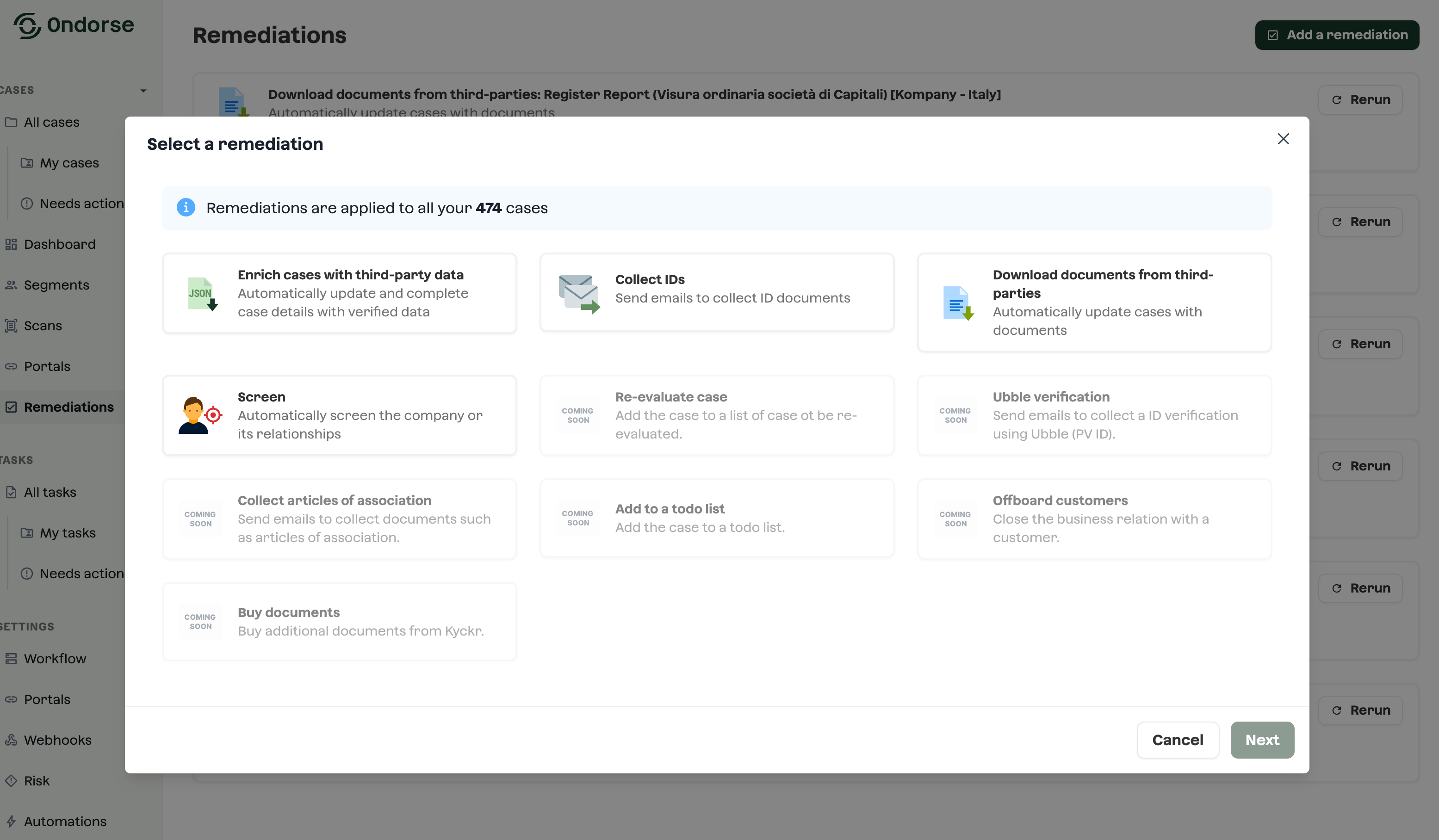
You can chose among a library of remediation tools such as:
-
Data and documents collection campaign: start email campaigns to collect data or missing or invalid documents from the customer. This features exploits the portal.
-
Data enrichment: enrich your compliance customer knowledge with external 3rd-party data providers such as INPI, RBE and RNA or Kompany on data-points such as legal form, UBOs, etc.
-
Document buying: buy documents from external 3rd-party data providers such as INPI, RBE and RNA or Kompany: registry extract, articles of association, etc..
-
Assign for manual action: assign the case to someone of your team for a manual action (EDD or re-decision)
-
Screen: launch a screening on the entity or its relationships of all the cases in the segment
-
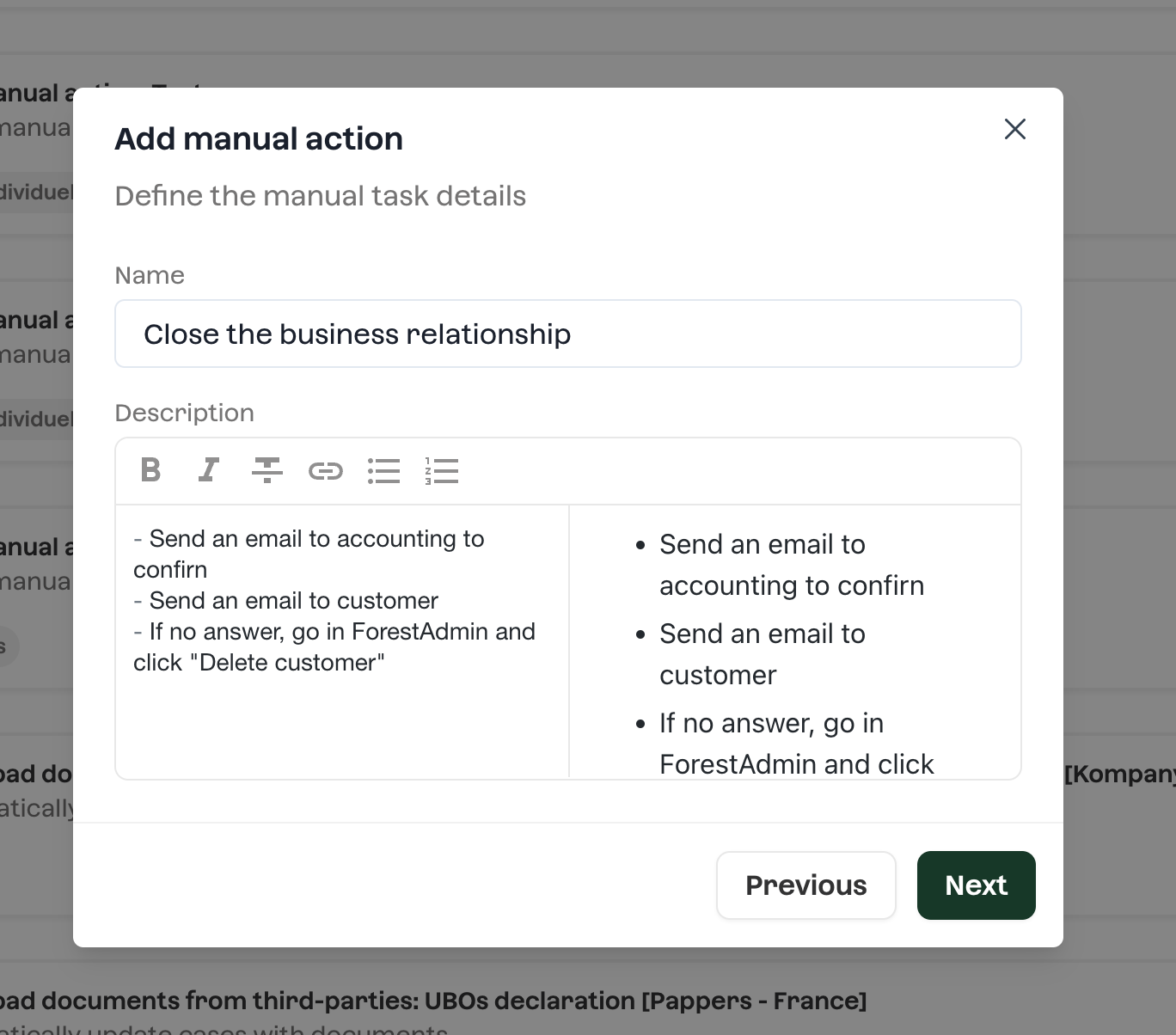
Manual action: launch a batch of manual actions for your team to handle. Describe the task to execute in details before dispatching work by assignation. Follow the progress.
- Re-KYC: have the cases run through a KYC verification process. This may be used when cases are aging.
- etc..
Remediation target
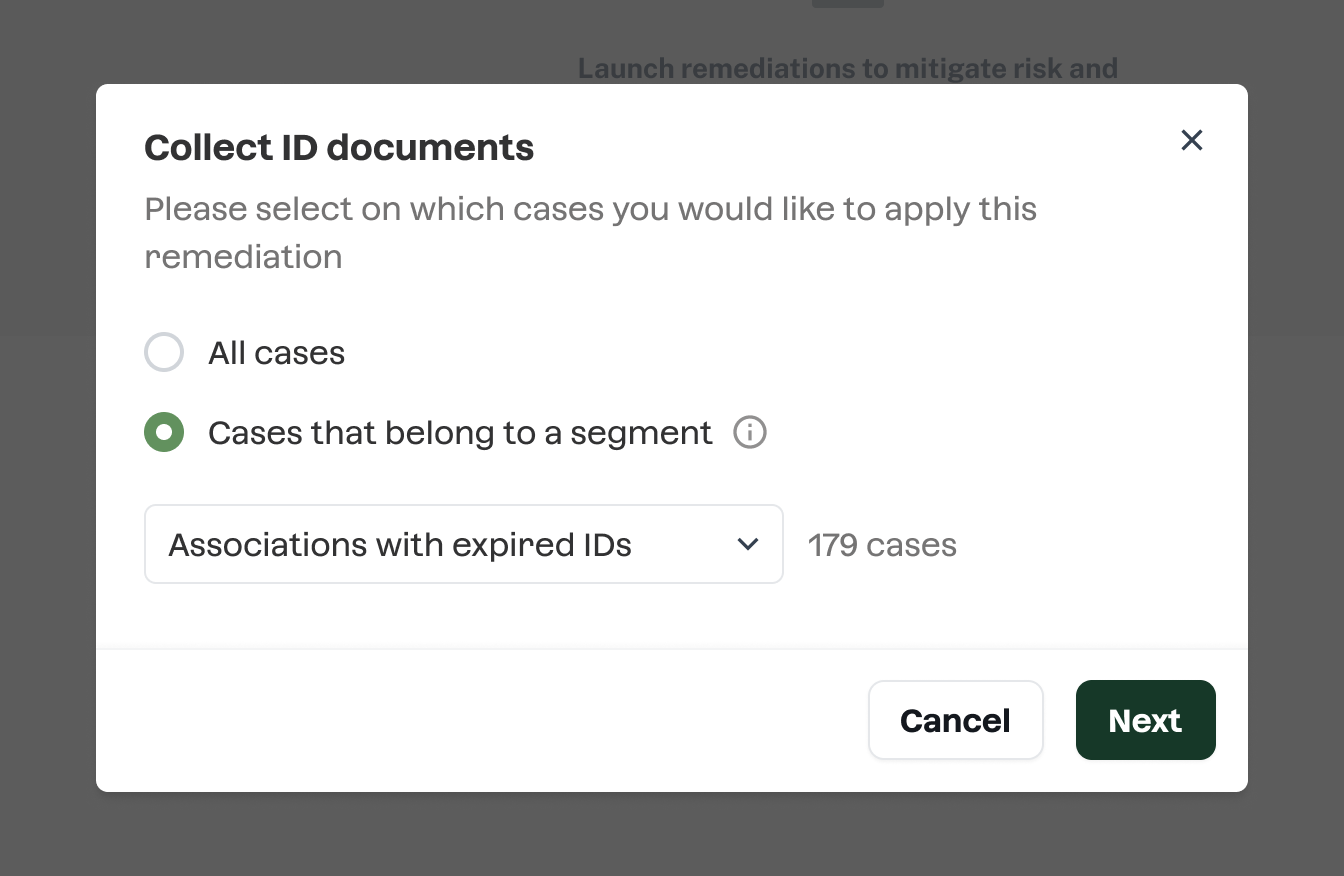
A remediation targets several cases at once. It's even its primary benefit as you save operational time! You can fine-grained this target by using segments.
Use segments as remediation target allows to:
- target only the cases with identified compliance gaps revealed using scans\
- slice and prioritise the remediation based on criteria such as risk, onboarding date, etc..
Data and document collection campaign management
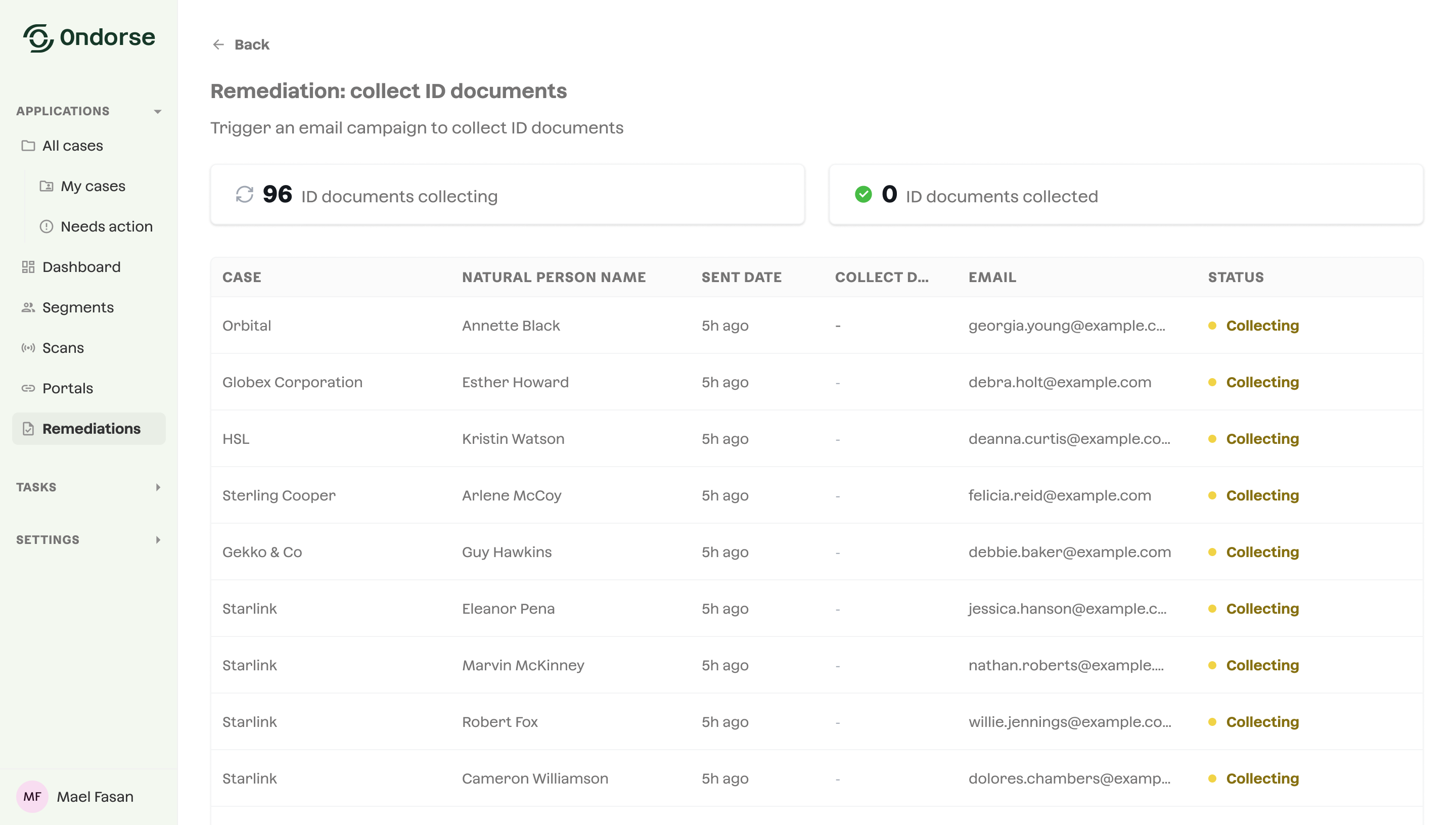
You can follow the progress of a data and document collection campaign:
Updated 3 months ago