
SLAs
Set a target for each queue and see which cases are about to miss it
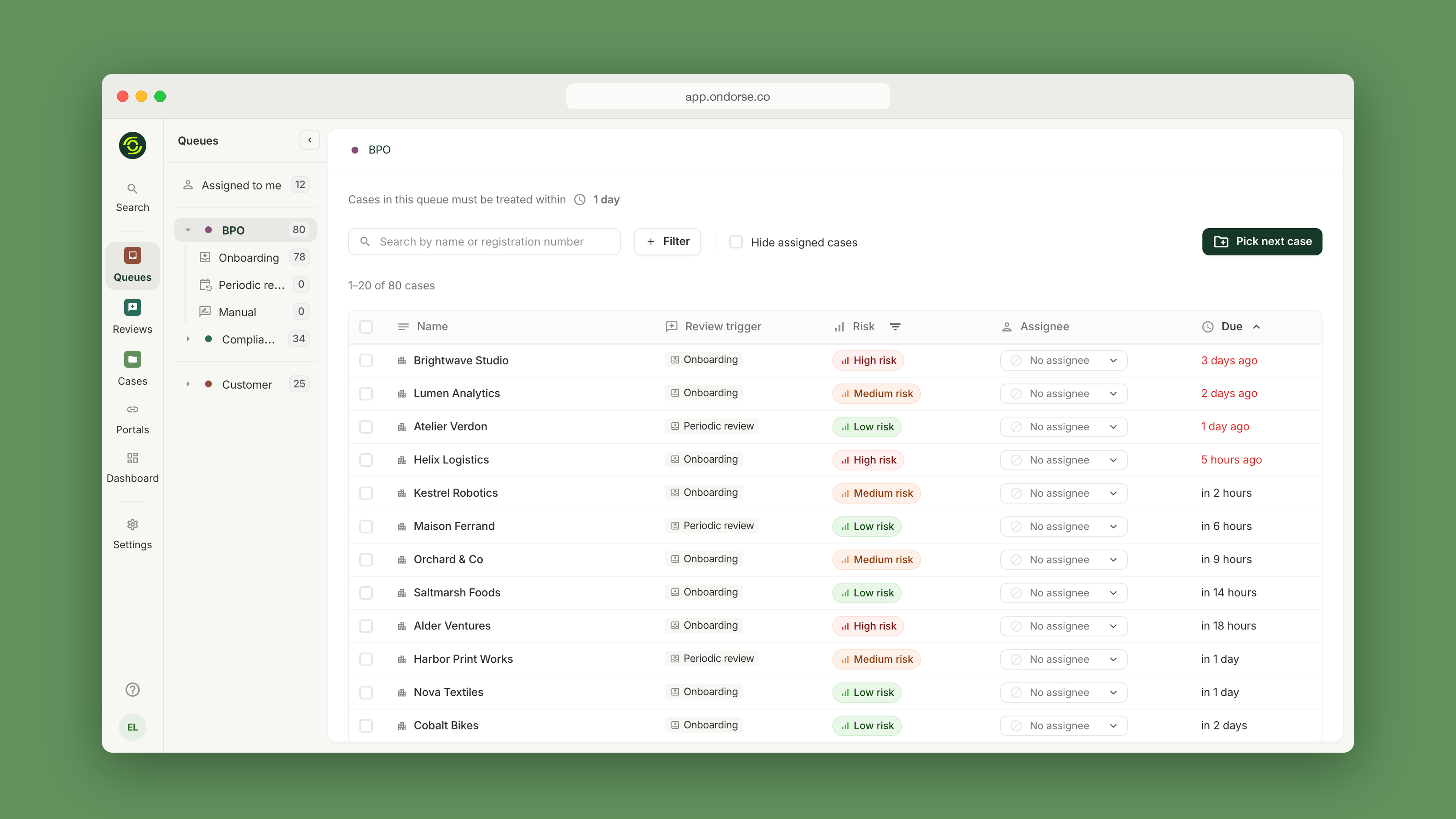
SLAs set how fast each queue must handle its cases. Every team gets a clear target, and Ondorse shows when a case is about to miss it, or already has.
Why it matters
- Commitments you can measure. Turn "we answer within 48 hours" into a target per team, tracked on every case.
- Act before it's late. Every case in a queue shows when it is due, and overdue cases are flagged, so agents and team leads see them first.
- Hold partners to account. When a BPO works under contract, you see how it performs against its SLA, separately from your internal team.
- Numbers that reflect your work. Time spent waiting on your customer is kept apart from the time your teams spend on the case, and weekends are excluded automatically.
How it works
SLAs sit on top of queues: each queue (your team, a BPO, compliance) can have its own target.
- One target per queue. Set it from your settings in a few clicks. It is displayed at the top of the queue.
- A due date on every case. When a case enters a queue, its due date is calculated from that queue's SLA, and the queue is sorted by due date, most urgent first.
- Breaches stand out. Overdue cases are highlighted in the queue and on the case, and you can filter your case list to show only them.
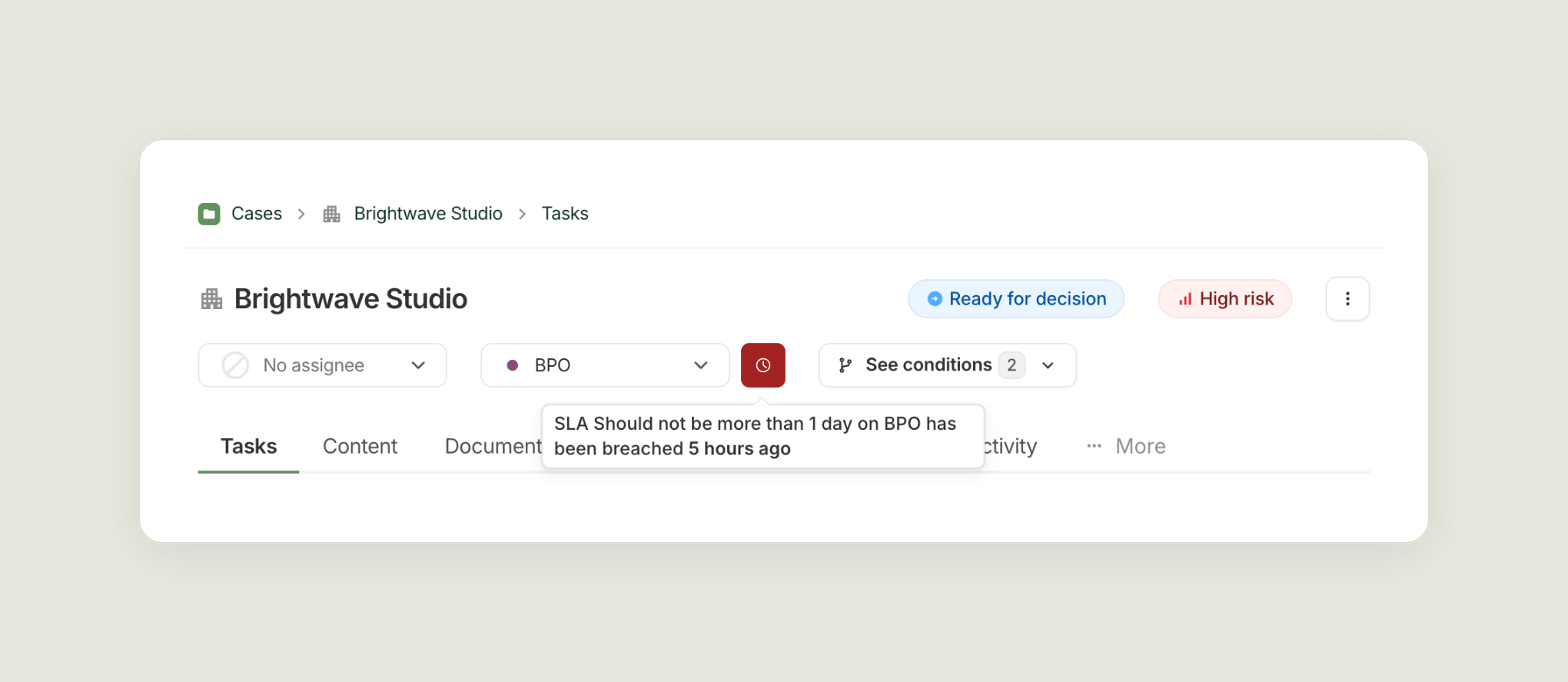
Example: an internal team working with a BPO
A BPO handles low-risk onboardings under a 2-day SLA, and your compliance team handles escalations under its own target. With one queue and one SLA per team, you see:
- how quickly your BPO processes cases, against its contract;
- how your compliance team handles escalations;
- the time lost when cases move from one team to the other;
- which cases to route where, based on real data.
The configuration follows your organisation: BPO and compliance is one example, and you can set a queue and an SLA for each team that works on your cases.
Updated about 6 hours ago
Did this page help you?